Your notes.
No one else’s business.
Sovernote is a powerful, Notion-class workspace that keeps all your data on your device. Rich text, databases, real-time collaboration — without trusting a server with your content.
macOS & Windows · Free forever · No account required
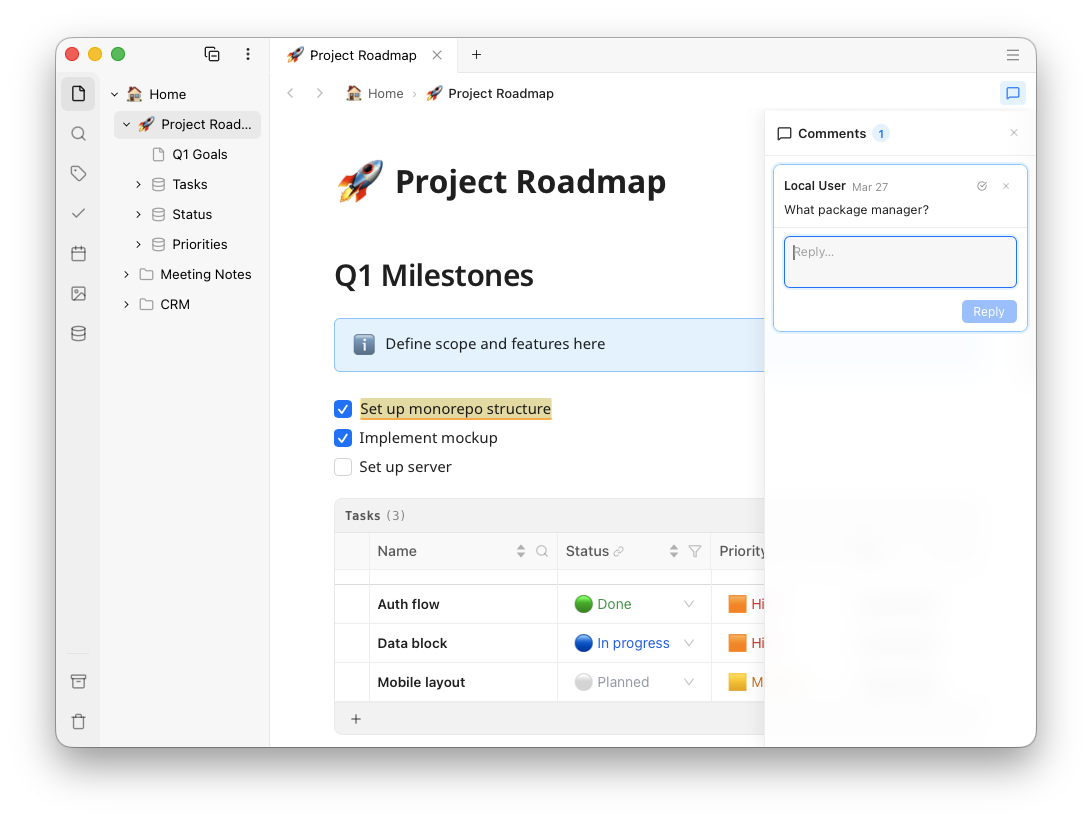
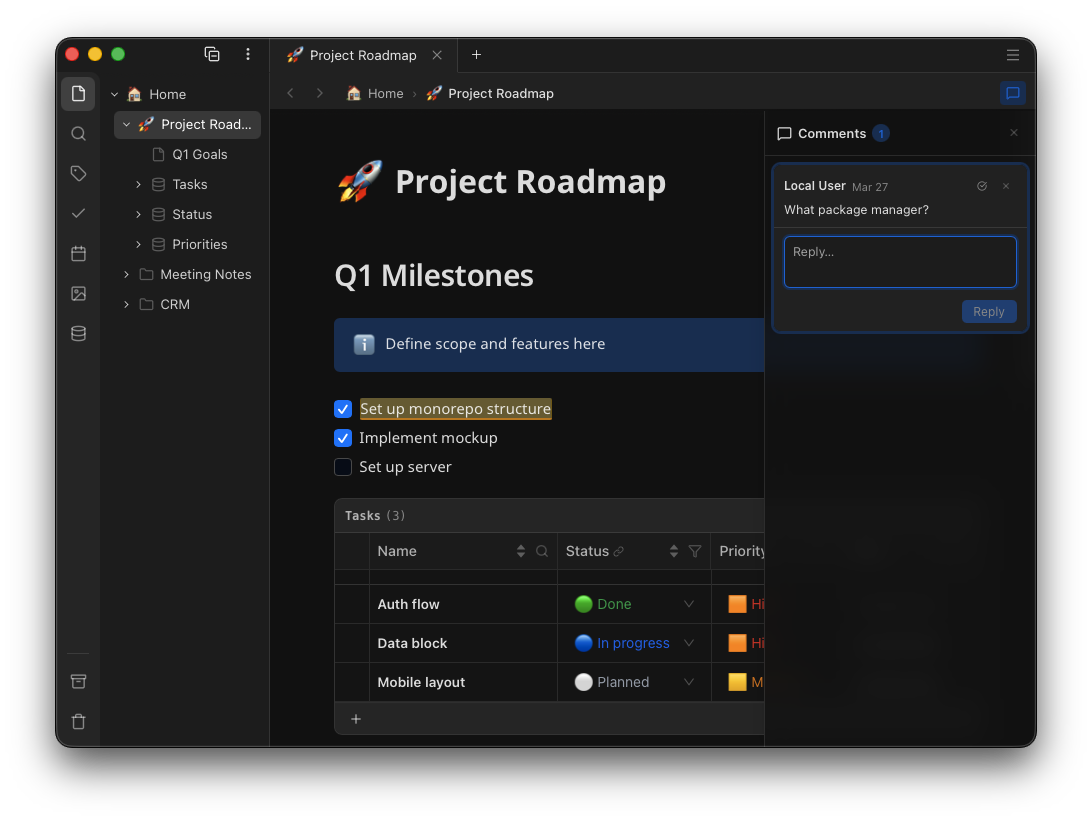
“The UI is really neat and smooth.”
“It’s easier than Notion.”
Features
Everything you need.
Nothing you don’t.
A Notion-level workspace that runs entirely on your machine — for free.
Cloud collaboration is an opt-in upgrade, not a requirement.
Rich block editor
Headings, checklists, callouts, code blocks, multi-column layouts, inline math, diagrams, images, audio, video, bookmarks — all with drag-and-drop reordering and real-time collaboration cursors.
Rich text outliner
Nest any block inside another to build hierarchical outlines. Collapse a parent block to hide its children and keep long documents navigable. Indent with Tab, outdent with Shift+Tab — structure emerges naturally as you write.
Works offline, always
The desktop app runs a full SQLite backend locally — no server, no account, no network required. Open, edit, and create pages anywhere. Changes sync automatically when you reconnect.
Markdown interoperability
Export any page to clean Markdown at any time and open it in any text editor. Datatable blocks export as CSV. Your data is never locked in a proprietary format.
Inline comments & threads
Select any text and start a comment thread. Reply, resolve, or re-open — all visible live to collaborators. Threads are anchored to their text position and sorted by where they appear in the document.
Inline databases
Embed sortable, filterable, paginated tables inside any page. 12+ column types including text, numbers, dates, relations, rollups, checkboxes, select, and media attachments.
Calendar, Tasks & Tags
A calendar panel gives a monthly overview of all dated pages. A task panel surfaces every checkbox across your workspace so nothing falls through the cracks. Tags are inline — label ideas within a page, not just the page itself — and filter across your entire knowledge base.
Multi-device sync
Your notes stay in sync across all your devices — desktop and the web app now, mobile coming soon — via zero-knowledge encrypted cloud sync. Changes made offline are merged automatically when you reconnect — no conflicts, no data loss.
Real-time collaboration
Invite teammates to your workspace. See each other’s cursors, edits, and comments live — powered by Yjs CRDTs and the Hocuspocus protocol with end-to-end encryption.
Workspace sharing
Share an entire workspace with teammates or guests. Fine-grained permissions let you control who can view, comment, or edit — with end-to-end encryption maintained throughout.
Total ownership & privacy
Your data always lives on your device — archive documents for long-term storage, export to Markdown at any time, and never worry about vendor lock-in. Your content is encrypted client-side before it ever touches a network: no analytics, no telemetry, no ad profiles. Your workspace outlives any company.
Workspace focus mode
Activate only the workspaces relevant right now — inactive ones disappear from the sidebar and search results. Keep work, personal projects, and client spaces cleanly separated without ever archiving or deleting anything.
Why Sovernote
Full power.
Full privacy.
Most knowledge tools make you choose between features and privacy. Sovernote is different.
| sovernote | Notion | Obsidian | |
|---|---|---|---|
| Works 100% offline | ✓ | ✗ | ✓ |
| No account required | ✓ | ✗ | ✓ |
| Zero-knowledge encryption | ✓ | ✗ | ✗ |
| Inline relational databases | ✓ | ✓ | ✗ |
| Data stays on your device | ✓ | ✗ | ✓ |
| Free forever (core features) | ✓ | Limited | ✓ |
| Markdown export | ✓ | Paid | ✓ |
| Calendar, tasks & inline tags | ✓ | Partial | Plugins |
| Workspace focus mode | ✓ | ✗ | ✗ |
| Multi-device sync | Paid plan | ✓ | Paid add-on |
| Workspace sharing | Paid plan | ✓ | Paid add-on |
| Real-time collaboration | Paid plan | ✓ | ✗ |
Privacy-first architecture
Your sovereign, permanent workspace
Your workspace should outlive any company. Sovernote gives you long‑term ownership, local export, and a future‑proof data model — because your knowledge deserves permanence.
For synchronization and collaboration, Sovernote uses client-side key derivation so your encryption keys never leave your device. Even if the cloud server were compromised, your documents would be unreadable ciphertext.
Anti-exploitation privacy. The company structurally cannot turn your data into a product — no behavioural profiling, no monetisation of what you write, no AI training pipelines. End-to-end encryption makes this a cryptographic fact rather than a policy promise. Local data is stored as plain SQLite so you can always open, export, and own it directly.
Your password is run through Argon2id locally to derive a 32-byte seed, then two keypairs — Ed25519 for authentication and X25519 for key agreement. No password ever leaves your device.
The server issues a random nonce. Your device signs it with your private Ed25519 key. The server verifies the signature. Done — no password transmission, no password hash, no password storage.
Your username acts as the Argon2id salt. It’s immutable — changing it would permanently alter your keypair. Privacy-conscious users can register with a handle instead of their email.
// 1. Derive a stable user_id from username
user_id = UUID(SHA-256(normalise(username)))

// 2. Derive keypair from password + salt (client-only)
seed = Argon2id(password, salt: user_id)
ed25519_keypair = Ed25519.fromSeed(seed)
x25519_keypair  = X25519.fromSeed(seed)

// 3. Authenticate via challenge-response
nonce = GET /api/auth/challenge
token = POST /api/auth/login({
  username,
  signature: Ed25519.sign(nonce, privateKey)
})

// The server stores ONLY the public key.
// Your password never leaves this device.
Pricing
Start free. Scale when you need to.
The desktop app is free forever. Pay only if you want cloud sync and collaboration.
One simple plan. No upsells, no lock‑in, no surprises.
The full Sovernote experience, entirely on your device. Free forever, no account required.
- Unlimited pages & databases
- Full rich-text editor
- Media, Tables, Charts, Diagrams
- Databases, Relations, Rollups
- Works 100% offline
- Markdown export / import
or $59.90 / year 2 months free
Your notes, encrypted and synced across all your devices. Zero-knowledge sync — private even from us.
- Everything in Local
- Multi-device cloud sync
- Zero-knowledge encryption
-
Web publishing - 15 GB encrypted cloud storage
- Desktop + Mobile + Web access
Launching Q2 2026 — join the waitlist for 1 month free at launch.
or $99.90 / year 2 months free
For freelancers and power users who need more space and the ability to share privately with clients.
- Everything in Personal
- Per-client workspaces
- 5 guests per workspace
- Guest access controls
- 50 GB encrypted cloud storage
- Priority support
Launching Q3 2026 — join the waitlist for 2 months free at launch.
or $116.90 / seat / year 3 months free
Shared encrypted workspaces for teams and professionals that don’t compromise on privacy.
- Everything in Pro
- Real-time collaboration
- Flexible team size
- Admin dashboard
- 50 GB encrypted cloud storage per seat
- Workspace sharing
Launching Q3 2026 — join the waitlist for 3 months free at launch.
Advanced: prefer to bring your own server? The sync & collaboration backend will be open source and self-hostable.
FAQ
Common questions
Can I really use Sovernote without ever creating an account?
Yes. The desktop app runs a full local SQLite backend — no server, no account, no network required. You can install and use it entirely offline. An account is only required if you want multi-device sync or real-time collaboration.
How does zero-knowledge encryption work?
Your encryption keys are derived locally from your username and password using Argon2id. They never leave your device. When syncing to the cloud, your documents are encrypted before they leave your machine. The server stores only encrypted blobs and your public key — it has no way to read your content.
What happens if I forget my password?
Your password is only needed for cloud sync and collaboration — it is the key that unlocks your encrypted identity for multi-device access. Since it is derived deterministically into a keypair, there is no server-side reset. We recommend keeping a secure backup in a password manager.
Regardless of plan, your data is always stored on your device and is never exclusively held by our servers. If you forget your cloud password you will lose access to sync and real-time collaboration, but your local copy of all your notes and databases remains fully intact and accessible. At most, you would re-register with a new password and re-import your local data — you will never lose your content.
Is Sovernote open source?
The server will be open source and self-hostable — you will be able to run the full sync and collaboration backend on your own infrastructure if you prefer. We believe transparency is essential for a privacy-first product: you should be able to audit the server code, verify the encryption claims, and never be forced to depend on our hosted service.
How do synchronization and collaboration work if the server can’t read my data?
Conflict-free Replicated Data Types (CRDTs) — specifically the Yjs library — let multiple clients merge edits without a central coordinator that understands the content. The server relays encrypted Yjs update blobs between peers. It never needs to parse or understand the content to provide convergence.
Collaboration is secured with per-workspace client-side key pairs. Keys are exchanged directly between clients as encrypted envelopes, so the server never has access to plaintext key material — enabling end-to-end encrypted, zero-knowledge, real-time collaboration.
What platforms does Sovernote support?
Sovernote is available as a desktop app (macOS, Windows) and a web app for paid subscribers. A mobile app (iOS, Android — coming soon) is in development. All apps are built on the same local-first, privacy-first architecture. The web app doesn’t store data locally, so it can be used on untrusted machines.
Can I export my data?
Yes. Pages can be exported to clean Markdown files at any time. Datatable blocks export as CSV. You own your data and can move it any time — no lock-in.
Start writing. No sign-up required.
Download the desktop app and get started in under a minute. Your content stays on your machine, private by default.
Also available for Windows · v1.0 Open Beta